Fortress - Getting Started
Getting Started: Recommended Steps
Onboarding is now a few clicks via the UI, which you can find by opening your website customizer and navigating through to the Security tab:
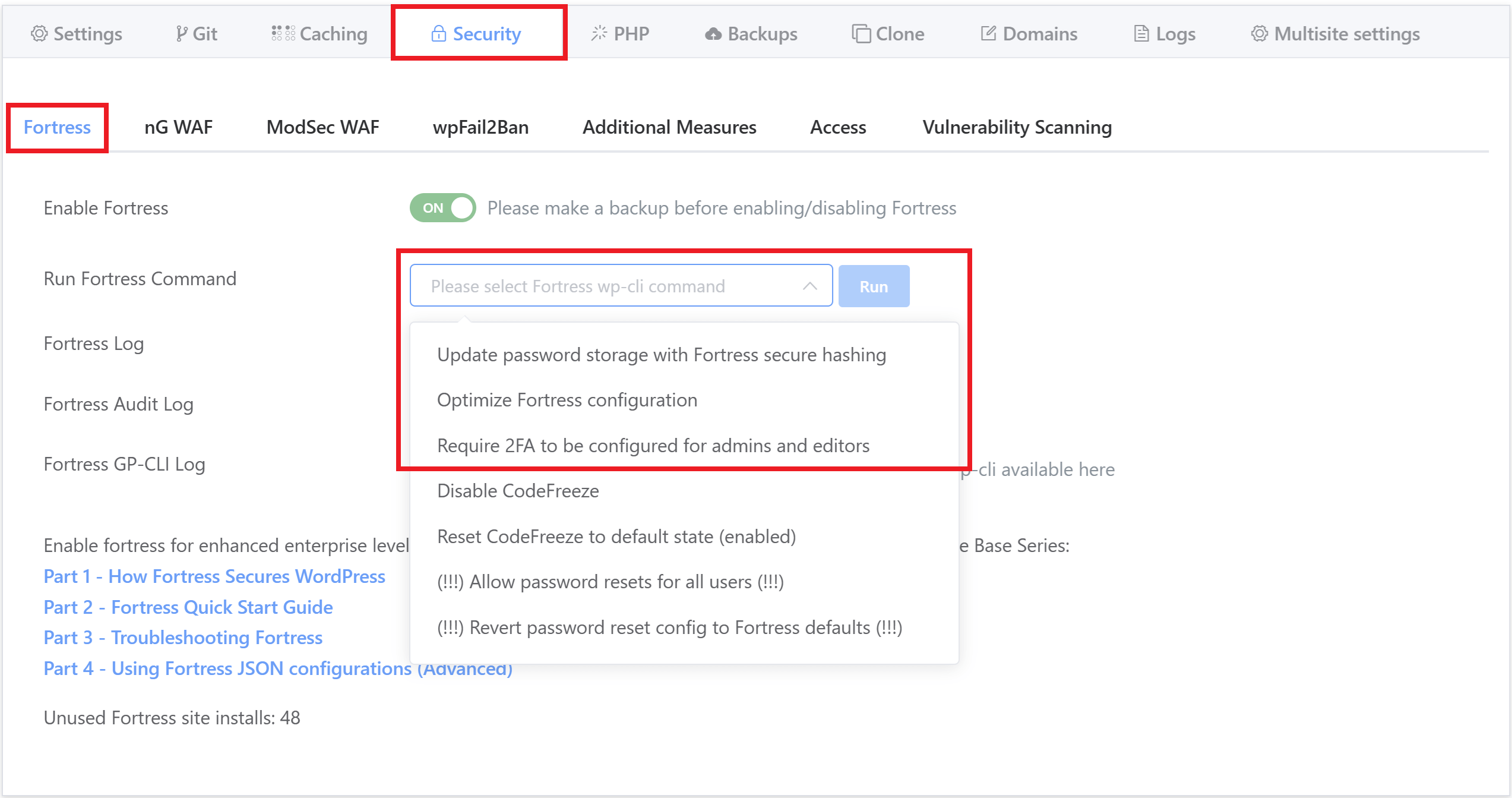
The commands in the “Run Fortress Command” dropdown are already ordered in the recommended order for you to run them, and here are the recommended steps you should take for each website:
- Take a backup of your website
- Enable Fortress
- Run upgrade password hashes
- Run optimize configuration
- Inside WordPress: Set up 2FA for your account / all admins and editors (instructions here)
- Run “Require 2FA for admins”
You can safely run step 6 even if you’re not sure if everything else is set up. If one or more Administrator users have not set up 2FA for their account, the command will error and write to the log output.